Tutorials / Enigma2
Vu+, Zgemma, Dreambox and other Enigma2 receivers are no longer used at Fast-Forward and are not actively supported. The easiest way forward: switch to one of our Android boxes with Fastmate V2.
Streaming on an Enigma2 receiver needs plugins, FTP access and a lot of trial and error with settings. Our older plugins and guides are outdated and no longer work. An Android box gives you a faster, simpler and more complete experience, and our team can support it fully.
Our boxes come pre-configured and are often bundled with a subscription. You get Fastmate V2 with a full programme guide, recordings, multiview and catch-up, operated with a normal remote control.
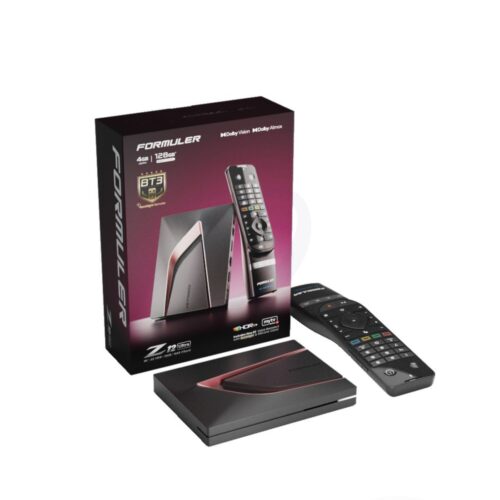 FORMULER
Latest flagship model. Android 12, 4GB RAM, 128GB storage. Compatible with MTO3, Fastmate V2 and all major streaming apps.
 XSARIUS
Fastest zapping model from Xsarius. Bluetooth remote with backlight and silicon case included.
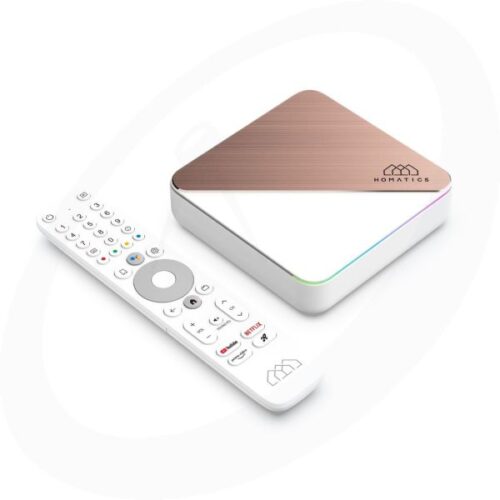 HOMATICS
4K with Dolby Vision & Atmos. Netflix, Disney+ and Prime Video certified. Wi-Fi 6, 4GB RAM, 32GB storage.
- Connect the box to a free HDMI port on your TV, next to or instead of your Enigma2 receiver.
- Connect a network cable for the most stable picture, or use Wi-Fi during the box setup.
- Choose the HDMI input of the box on your TV and open the app. If asked, enter the subscription details you received from Fast-Forward.
Experienced Enigma2 users can still use their Fast-Forward subscription with community plugins. The plugins below are free, open source and still maintained, and they work with the Xtream details you receive from us.
| Plugin | What it does |
|---|---|
| XStreamity | Plays live TV, films and series straight from your Xtream login, with a programme guide and catch-up. |
| Bouquet Maker Xtream | Turns your subscription into regular Enigma2 bouquets, so channels appear next to your satellite channels. |
Short answers to what Enigma2 users ask us most.
Does my Fast-Forward subscription still work on Enigma2?
Can I use Fastmate V2 on my Vu+ or Zgemma?
Where is the old Jedi Maker Xtream guide?
Can I keep my receiver for satellite TV?
Can I test it before I buy?
Send us your model number or a photo of your screen via WhatsApp or Discord. Every day from 08:00 to 21:00, in Dutch and English.